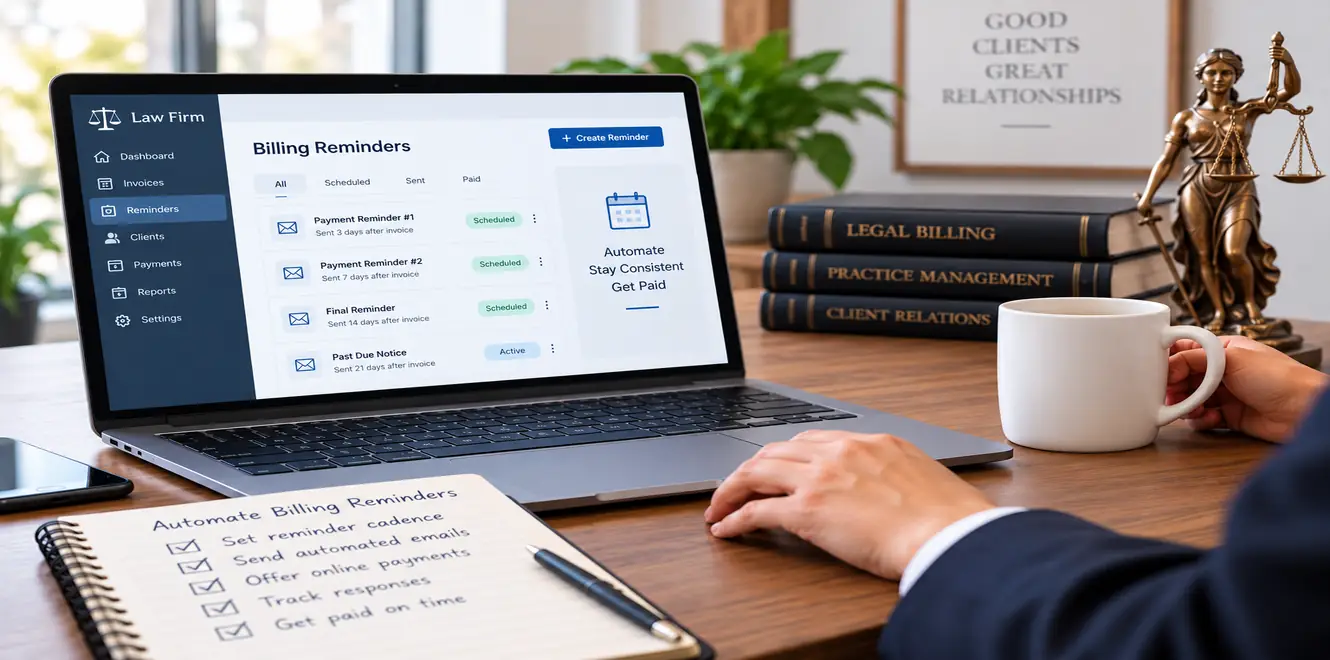
Late invoice follow-up can take time away from legal work, create avoidable administrative pressure, and make cash flow harder to predict. For many law firms, the challenge is not deciding whether to follow up. It is creating a process that follows up consistently without making every client feel as though they are being pursued.
Knowing how to automate legal billing reminders can help firms solve that problem. A well-planned system sends professional messages at appropriate points in the billing cycle, makes it easy for clients to review and pay invoices, and stops automated communication when an account requires personal attention. InvoiceSherpa can support this process by automating payment reminders and helping firms manage routine follow-up more consistently.
Automation is particularly useful for small firms and legal teams that already use accounting or practice management software. Instead of asking staff to monitor every due date manually, the firm can establish rules for routine invoices while reserving attorney or finance-team involvement for disputes, payment plans, sensitive matters, or high-value accounts.
The goal is not to automate every billing decision. It is to automate predictable administrative steps while keeping professional judgment where it matters most.
The billing process should account for payment reminders, reminder cadence, automated reminders, online client portals, billing automation, due dates, time capture, compliance, and revenue. InvoiceSherpa can fit into that broader workflow by helping firms automate receivables activity while maintaining control over how and when clients are contacted.

Automation works best when a firm first decides which invoices should and should not enter the standard workflow.
A routine monthly invoice may be suitable for automatic follow-up. A disputed bill, sensitive family-law matter, large corporate account, or client already discussing a payment plan may require individual handling.
Start by separating those situations before configuring reminder software.
A useful set of guardrails can include:
- Routine invoices: Apply the standard reminder cadence.
- High-value invoices: Require review before later-stage reminders or escalation.
- Disputed charges: Pause automated messages while the issue is investigated.
- Partial payments: Update the balance before another notice is sent.
- Payment arrangements: Follow the agreed schedule rather than the normal workflow.
- Sensitive matters: Route communication through the attorney or designated billing contact.
- Recorded payments: Stop further reminders as soon as payment is reflected.
This is important because legal billing can involve circumstances that are not visible from an aging report alone. Attorneys may know that settlement funds are pending, a billing question is being reviewed, or a client has already discussed the account with someone at the firm.
The original draft appropriately recommends separating routine invoices from sensitive, high-value, disputed, or attorney-assigned matters before applying automated schedules.
Firms should also decide what information belongs in reminder messages. A payment reminder needs enough detail for the client to identify the invoice, but confidential matter information should not be placed unnecessarily in subject lines or email text.
Invoice number, outstanding balance, due date, payment instructions, and a contact for billing questions will usually be more useful than a detailed description of the underlying matter.
Clear internal ownership is equally important. Decide who handles a disputed invoice, who approves a payment plan, when a balance should move out of automation, and when the responsible lawyer should become involved.
Those decisions turn automation into a controlled billing process rather than a series of unattended emails.
Build a Payment Reminder Workflow Clients Can Act On
A reminder is most effective when the client can understand it and take action immediately.
If clients have to search for the original bill, request new payment instructions, or contact the firm simply to determine what they owe, even a willing payer may delay the task.
The reminder workflow should therefore combine clear timing with a simple route to payment.
A practical sequence may include a courtesy message shortly before the due date, another message when payment becomes due, and measured follow-up after the invoice becomes overdue.
The exact timing will depend on the firm’s payment terms, billing arrangements, and client base. The important point is consistency.
The draft recommends that every reminder identify the invoice, outstanding balance, due date, billing contact, and a direct payment route.
Tone matters as well.
Early reminders can be courteous and service-oriented. If an account remains unpaid, later notices can become more direct while staying professional and factual.
The purpose is to make the next step clear, not to make the communication unnecessarily confrontational.
A strong reminder workflow should also account for client responses. If someone questions an invoice, promises payment on a specific date, or requests another arrangement, that information should affect what happens next. Continuing to send standard notices while a client is already discussing the account with the firm can make an otherwise orderly process feel disconnected.
InvoiceSherpa is positioned in the source draft as a way to automate these routine touchpoints while allowing firms to pause or redirect accounts that require individual attention.
Use Automated Reminders, Online Payments, and a Client Portal Together
Reminder timing is only one part of the process. Payment convenience can be just as important.
A client may fully intend to pay but postpone the task because the process involves finding an old invoice, locating bank details, requesting a replacement bill, or contacting the office for instructions.
The easier it is to move from reminder to payment, the less friction exists in the collection process.
That is why automated reminders work best when they are connected to accessible payment options.
A client receiving an invoice reminder should ideally be able to review the amount due and take the next step without unnecessary searching. Where the firm offers online payments, the reminder can direct the client toward the appropriate payment method.
A client portal can also give customers access to invoice history and related billing information. This can reduce routine requests for copies of invoices and give clients a more convenient way to confirm what remains outstanding.
The brief specifically highlights online payments and client portal functionality as relevant to this topic.
For the firm, convenience should still sit within clear controls. Payment options, account information, and client access should be configured in line with the firm’s internal procedures and any applicable compliance requirements.
It is also important to make the message itself easy to scan.
A reminder should generally answer four questions quickly:
- Which invoice is this?
- How much is outstanding?
- When was or is payment due?
- What should the client do next?
Anything that distracts from those questions can make the reminder less effective.
Firms should also avoid sending too many messages simply because software makes that possible. More communication is not automatically better communication.
If data shows that most clients pay after one reminder, adding several more notices may create little benefit. If certain accounts consistently remain unpaid despite automated follow-up, that is usually a signal for human intervention rather than a reason to send messages more frequently.
Connect Billing Automation to the Systems Your Firm Already Uses
A reminder workflow depends on accurate data.
If the wrong balance, contact, due date, or payment status enters the automation platform, the problem can quickly reach the client. That is why firms should map the billing process before turning automation on.
Follow the path from work performed to invoice creation, delivery, reminder, payment, and reconciliation.
Identify where information currently moves between systems and where staff have to re-enter it manually.
For a law firm, that review may include:
- Time capture and billable hours.
- Matter and client information.
- Billing rates and expenses.
- Invoice review and approval.
- Accounting records.
- Payment status.
- Client contacts.
- Reminder schedules.
- Escalation ownership.
The POP brief also references attorney time tracking software, AI-powered time tracking tools, time capture, practice management, invoicing, billing, compliance, and billables.
Those tools can sit earlier in the billing cycle than payment reminders. For example, software that captures billable time automatically may help reduce missed entries, but captured time still needs appropriate review before it becomes a client invoice.
The same principle applies to AI legal billing software. Automated narratives, categorization, or billing assistance should support the firm’s review process rather than bypass it.
Once reminders are added, test the entire flow before rolling it out widely.
Use a small set of representative invoices and confirm that:
- The correct contacts receive the message.
- Due dates and balances display accurately.
- Payment links work.
- Recorded payments stop further notices.
- Partial payments update correctly.
- Disputed invoices can be removed from the normal sequence.
- Client replies reach the right employee.
- Escalation alerts reach the assigned person.
- Accounting and billing records remain consistent.
The original draft recommends testing partial payments, disputes, write-offs, credits, multiple client contacts, payment links, alerts, and data synchronization before broader implementation.
That testing can prevent small configuration problems from becoming client-facing billing errors.
Monitor Reminder Software and Know When a Person Should Step In
Automation should reduce repetitive work, not remove oversight.
Once the system is running, review what happens after reminders are sent.
Some clients may pay after the first notice. Others may need several contacts. Certain accounts may remain open despite repeated communication. Those patterns can help the firm decide whether the reminder cadence is appropriate.
Useful measures include days outstanding, invoices paid on time, payment promises kept, collection hours, and revenue associated with aging accounts. These are also the measures identified in the draft article.
Reviewing this information can answer practical questions.
Are reminders going out too late? Are clients regularly paying after the same notice? Are particular billing contacts unresponsive? Are invoices being disputed because descriptions are unclear? Is staff time still being consumed by accounts that should have moved to a different workflow?
Automation can reveal these patterns more consistently because the process itself is more structured.
The most important metric, however, is not the number of reminders sent.
The objective is payment with an appropriate client experience.
That means firms should define a point where automation stops and personal follow-up begins. The trigger might be invoice age, account value, repeated missed commitments, a dispute, lack of response, or the importance of the client relationship.
When that point is reached, the person making contact should have access to the previous reminder history and any relevant account notes. The client should not have to repeat information already provided to the firm.
Attorneys or client-service teams may also have context that is not visible to accounting staff. Before escalating an important account, check whether there is an active matter, unresolved billing concern, or other circumstance that changes the appropriate approach.
A well-run process keeps the routine work automated, and the judgment calls human.
Make Legal Billing Automation Part of a Better Receivables Process
Learning how to automate a billing process is ultimately about more than choosing reminder software.
The firm needs clear payment terms, accurate invoices, reliable client data, appropriate payment options, consistent communication, defined exceptions, and a clear escalation path.
Automation connects those pieces.
When routine invoice reminders run automatically, staff no longer need to recreate the same emails or track every due date manually. When online payments and client access are integrated into the workflow, customers have fewer steps between receiving a notice and resolving the balance. When payment data stays current, firms can reduce the risk of unnecessary reminders.
Most importantly, automation can help legal teams direct their attention where it has the greatest value.
A routine invoice can follow the standard workflow. A disputed charge, high-value balance, long-standing client, or missed payment commitment can move to a person who has the context and authority to respond appropriately.
The draft positions InvoiceSherpa as a tool for automating accounts receivable follow-up while keeping reminder timing, messaging, payment handling, and exceptions under the firm’s control.
For law firms that are still relying on spreadsheets, calendar notes, and manually written reminder emails, a structured automation process can create a more dependable path from invoice delivery to payment.
Ready to reduce manual invoice chasing? InvoiceSherpa can help firms build consistent reminder workflows, give clients clearer payment options, and maintain better visibility into accounts that need attention, while leaving sensitive billing decisions in the hands of the people who know the client best.
September 29, 2026
.webp)